 Zhiyu
ZhiyuHelp with Zhiyu
Pairing, sharing and common questions.
How do I start sharing?
Connect both devices to the same local network. Select the other device in Nearby, compare the security codes and confirm on both ends. Send a message or choose a file in the conversation. The recipient can decline, and the sender can cancel an unfinished transfer.
View interface examples · iOS
iOS interface examples. iOS is not yet available to download; other platforms may look different.
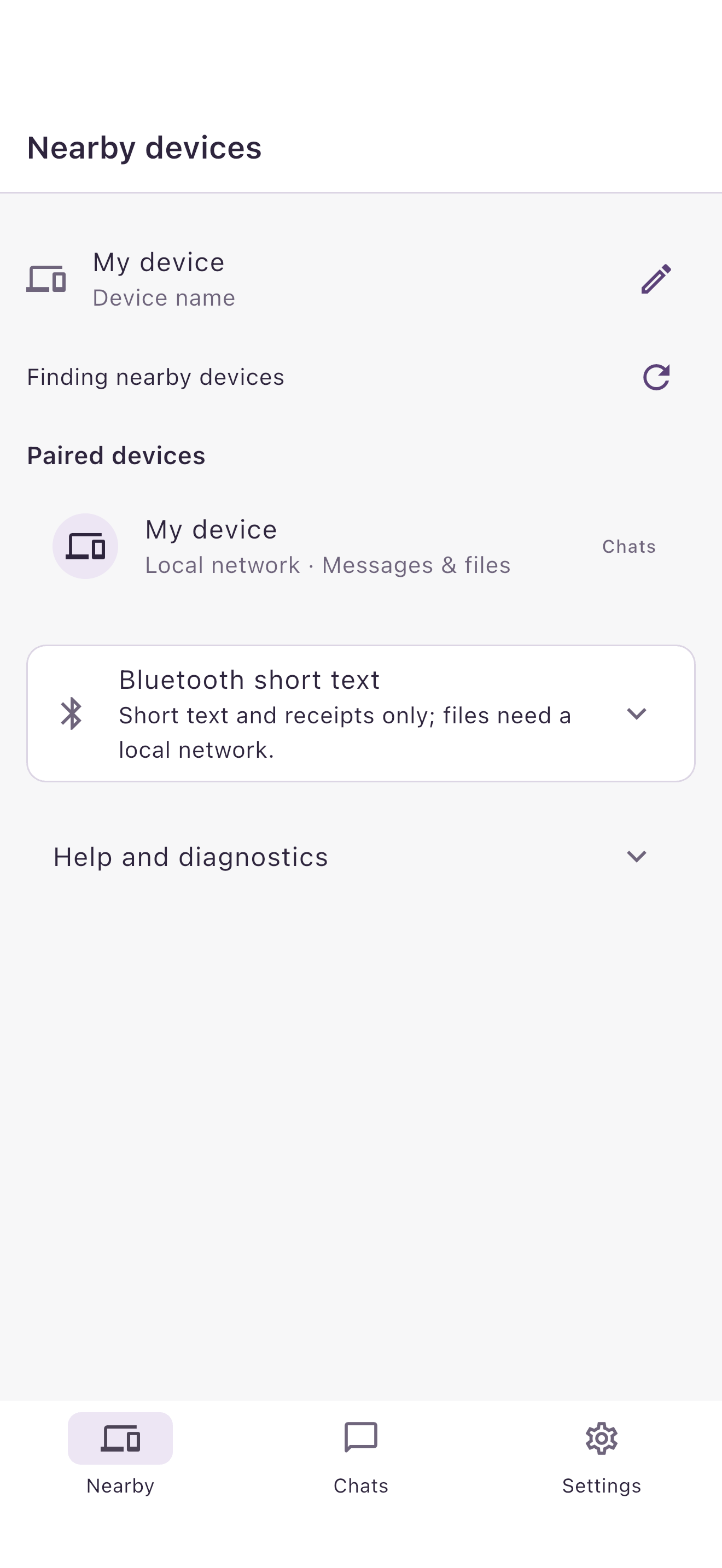
Connect both devices to the same local network and find the other device in Nearby.
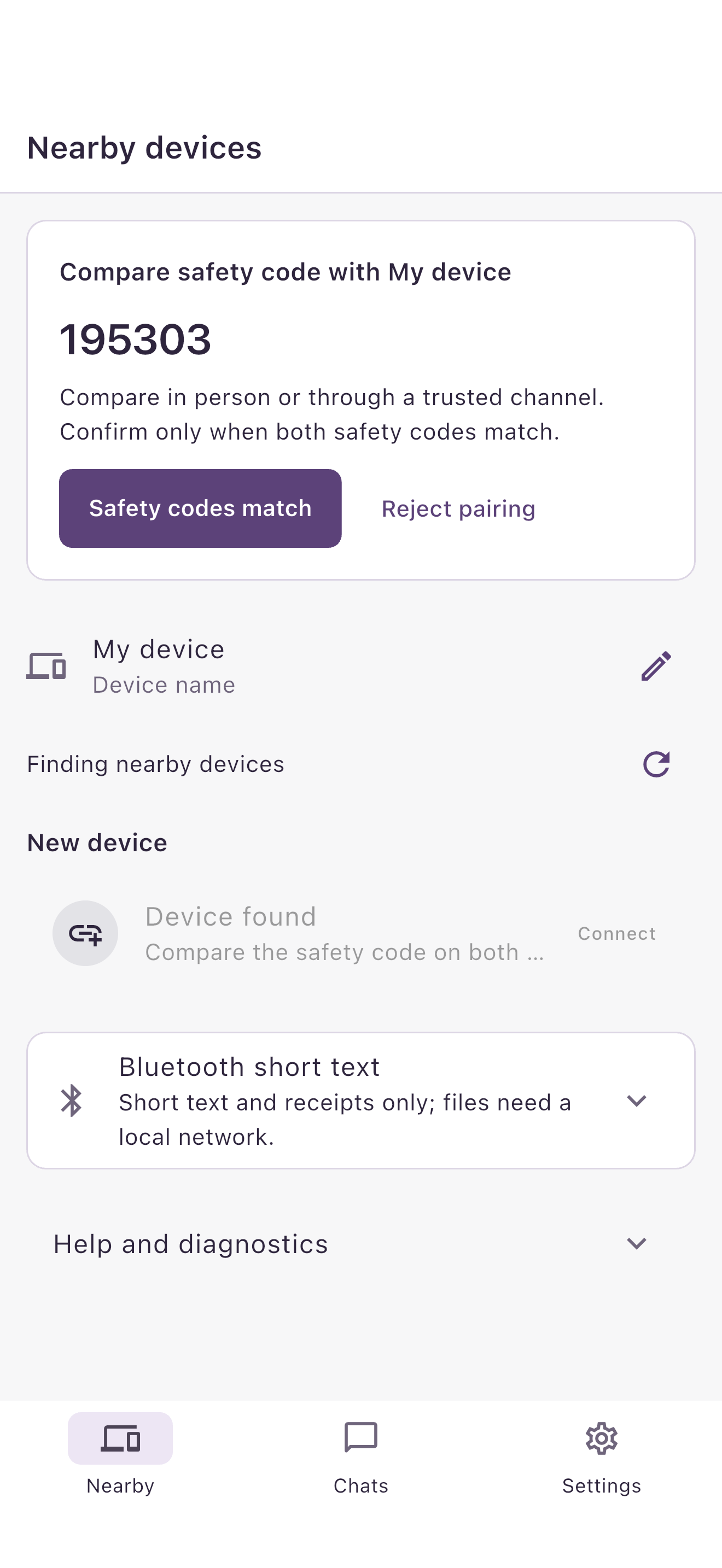
Compare the security codes on both screens. If they match, confirm on both devices.
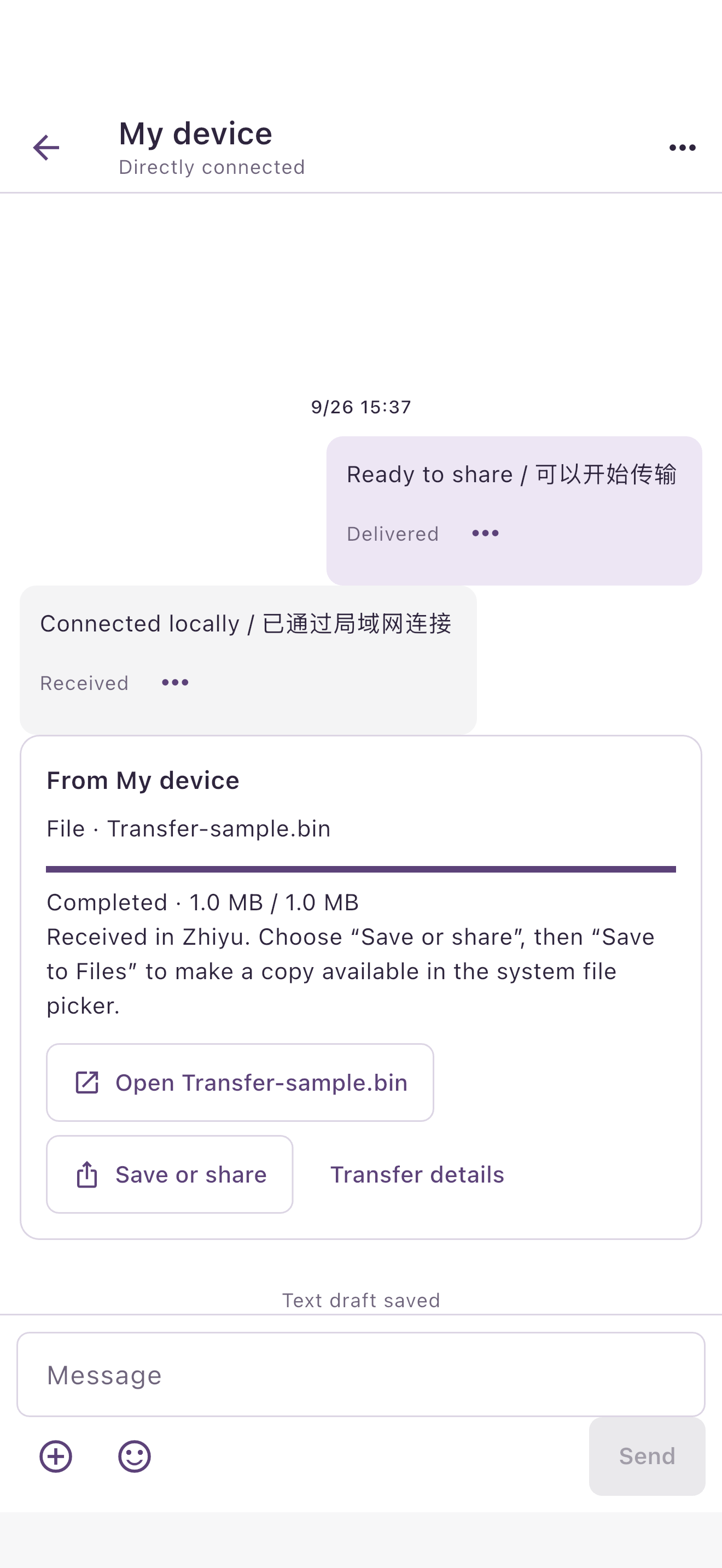
Pick a file or type a message, then send it directly to the other device.
Why can’t I find the other device?
Check that both devices are on the same network and allow Local Network or Nearby devices permissions. Guest networks may block device-to-device traffic. Reopen Zhiyu after granting permission.
Older Android versions may require location services. Do not erase app data or disable system security protections to troubleshoot.
Can Bluetooth transfer files?
Bluetooth supports short text; files need the local network. Let one device search and the other be discoverable, then follow the confirmation steps.
Keep Zhiyu in the foreground on both devices while sharing. Locking the screen or switching apps may interrupt the connection. Download cloud files locally before sending.
How do I manage connections and history?
Pair only with devices you recognize. You can remove a pairing in conversation options, but this is not a permanent block. Deleting local history does not delete copies saved by the other device.
Received files are outside conversation-database encryption. Keep saved copies secure.
Contact us
Email us with questions, safety concerns or suspected vulnerabilities. Include the app version, device and OS, steps and any error message. Do not send passwords, private keys or private conversations.